
ROS2-020-ROS2 Tools: Coordinate Transforms (1) — Introduction
Introduction
When we drive a robot around, we usually rely on a spread of sensors to perceive where the objects around it sit relative to the robot. Without configuring a sensor, though, all it can report is an object's position relative to itself. So some dedicated transformation step is needed to turn a sensor's position information into the object's position relative to the robot system, or to some other component of the robot. ROS packages this up in a module named tf (TransForm Frame).
Concepts
This module lets a user track multiple coordinate frames over time. It maintains the relationships between frames in a tree structure with time buffering, and lets the user transform points, vectors and the like between any two frames at any desired point in time. ROS already ships a library under the same name, and as ROS has iterated the library was upgraded to tf2 — the second-generation coordinate transform library.
A complete coordinate transform implementation consists of two parts: the coordinate transform broadcaster and the coordinate transform listener. The broadcaster publishes data describing the relative pose between frames, and the listener subscribes to what one or more broadcasters publish.
Each broadcaster normally takes care of one set of frame relationships, while the listener organises many sets of them into a single coordinate tree (which has one and only one root frame), so that points and vectors can be transformed between any two frames. A transform also has to consult the timestamp carried on the message data, so that the time gap between the two frames involved stays inside a given window — otherwise the coordinates you get back have no valid temporal reference and are off by some error.
Info
Coordinate transforms in ROS are based on right-handed coordinate systems.
Trying the demo
Next we'll try the Introduction to tf2 demo from the official site, to get a first feel for tf2.
First check whether the demo package and its dependencies are installed; if not, install them in bash with:
sudo apt-get install ros-jazzy-rviz2 ros-jazzy-turtle-tf2-py ros-jazzy-tf2-ros ros-jazzy-tf2-tools ros-jazzy-turtlesimOr just clone the sources and build them yourself:
git clone https://github.com/ros/geometry_tutorials.git -b ros2Then, in two separate terminals, launch turtle_tf2_demo.launch.py and the keyboard teleop node we used earlier:
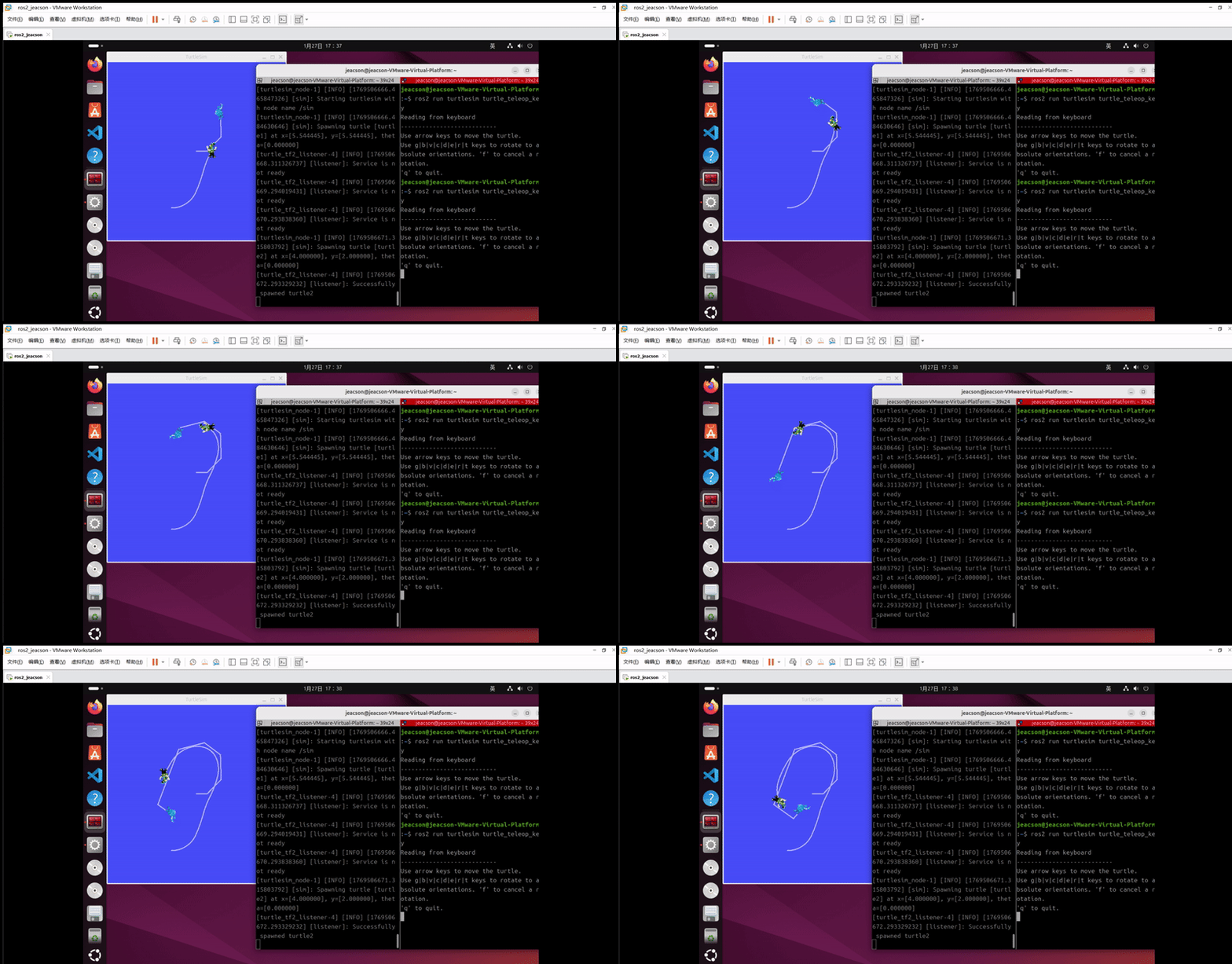
ros2 launch turtle_tf2_py turtle_tf2_demo.launch.pyros2 run turtlesim turtle_teleop_keyDrive the turtle around with the keyboard in Terminal B, and you will see this:
Important
This article was translated by Hermes Agent; the original text can be found at here. The translation is for reference only. Translation time: 2026-11-05