
Slow image loading on social platforms over WiFi 5GHz
Background
The WiFi in the flat I share with others in Hong Kong broadcasts both 2.4GHz and 5GHz (the router is a Linksys Velop Pro 7). While browsing social platforms (X, Weibo and the like), my phone would now and then get stuck loading images. It kept happening even after I set a rule in the router giving my phone priority, so I reverted that and started looking at changing something else instead.
Symptoms
My phone connects to 5GHz by default, and while browsing social platforms (X, Weibo and so on) it would intermittently be slow to load images. Concretely:
- Video plays fine; only images are slow (thumbnails crawl / tapping a full-size image takes forever)
- Avatar images seem to be "not cached" — revisiting the same user reloads them every time
But as soon as I switch bands by hand (2.4G ↔ 5G), the problem disappears.
Diagnosis
While connected to 5GHz, I worked through the layers with Network Analyzer Lite:
| Test | Result |
|---|---|
| ping gateway 192.168.1.1 | 0 loss, 14–32 ms (jittery, a touch high) |
| ping www.weibo.com(36.51.224.123) | normal, 8–60 ms |
| ping ww1.sinaimg.cn(139.177.246.196) | normal, 8–51 ms |
| ping www.x.com(172.66.0.227) | normal, 10–67 ms |
| WiFi parameters | 802.11be, signal −58/−59 dBm, negotiated 1441/1152 Mbps |
| DNS | 192.168.1.1 (router proxy), no public IPv6 |
Pinging the gateway is how I judged LAN and signal quality; pinging public IPs, then resolving and pinging the image CDN hostnames, is how I judged DNS, CDN routing and upstream reachability (which rules DNS out).
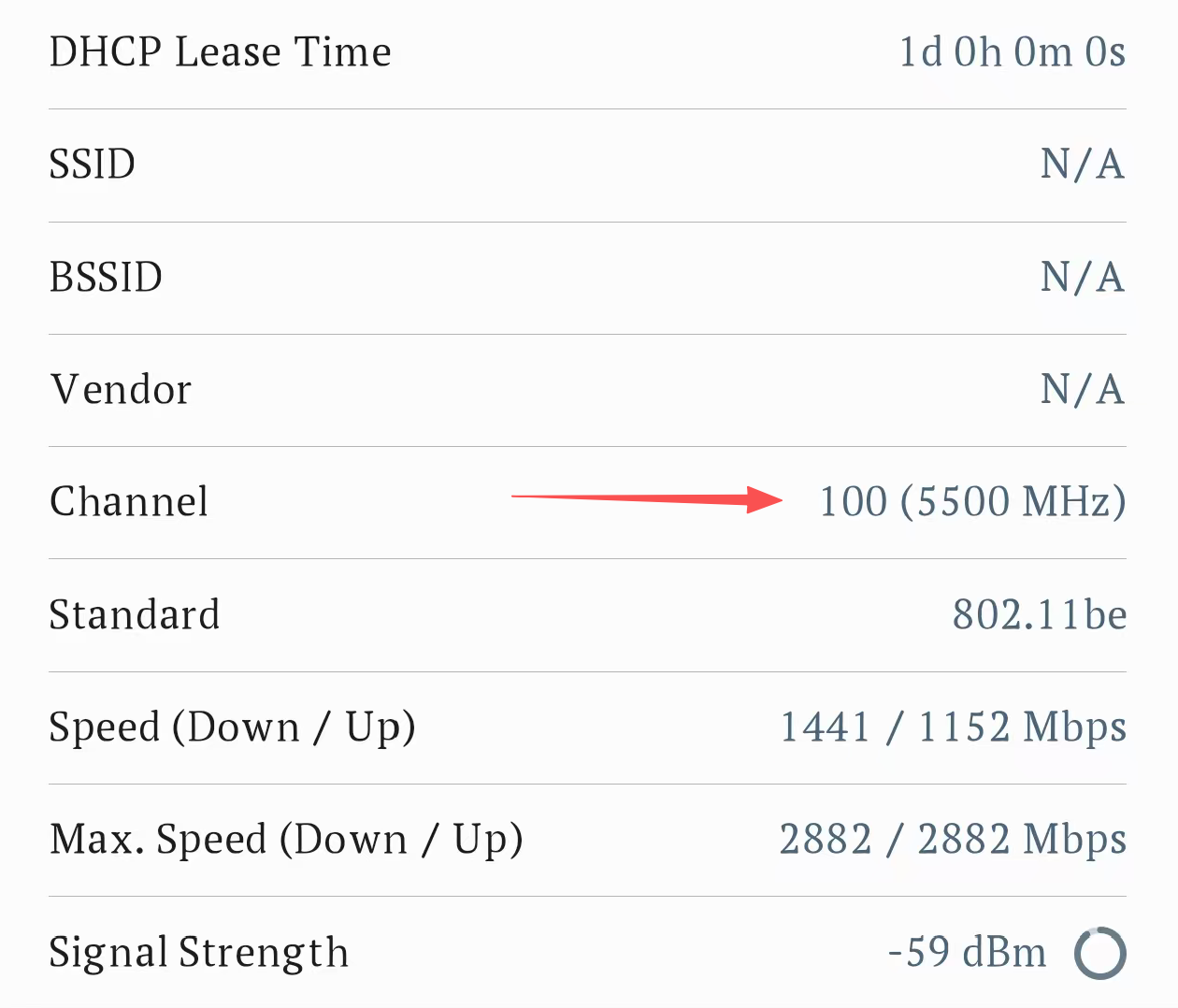
Having done all that, the network looked entirely healthy — nothing suspicious in DNS, link or CDN. But on the Info page I found the 5GHz band was sitting on channel 100 (5500 MHz), and looking it up showed that channel lives in the DFS band.
Root cause
In this environment, channel 100 (5500 MHz) on the 5GHz band is a DFS channel, which brings radar avoidance into play.
Specifically, channels 52–140 in the 5GHz band form the DFS range. Regulations require an AP that detects a radar signal to go quiet and switch channels, and client traffic is suspended while that happens — hence the irregular, unpredictable stalls. Loading video and images means a barrage of small requests, and those are very sensitive to link jitter. Video can hide jitter behind its buffer; an image only starts loading when you tap it. That is exactly why I saw "video fine, images stuck". Switching bands forces a reconnect (2.4G is not a DFS band), which is why "flip the band once" fixes it.
Fix: turn DFS off
This Velop model does not allow you to pin a specific channel by hand, so after looking around I decided to simply turn DFS off. The steps:
Linksys App → menu ☰
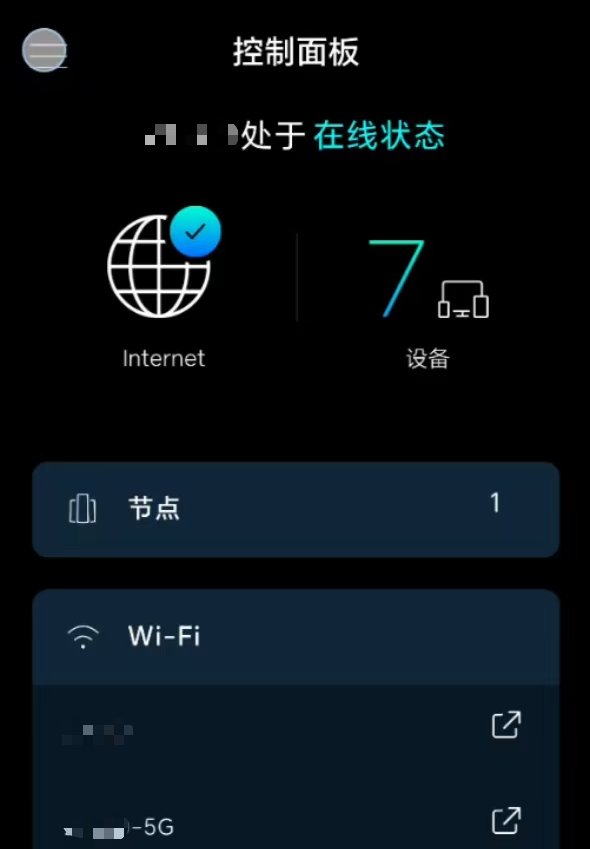
→ Wi-Fi Settings
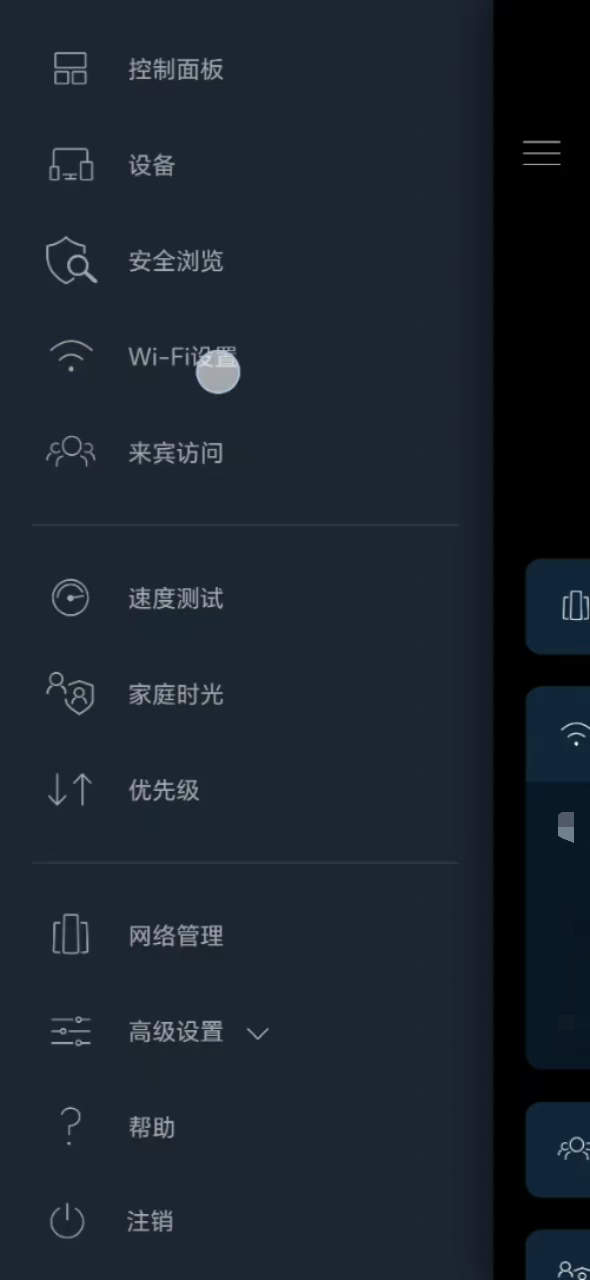
→ under Advanced Wi-Fi Settings
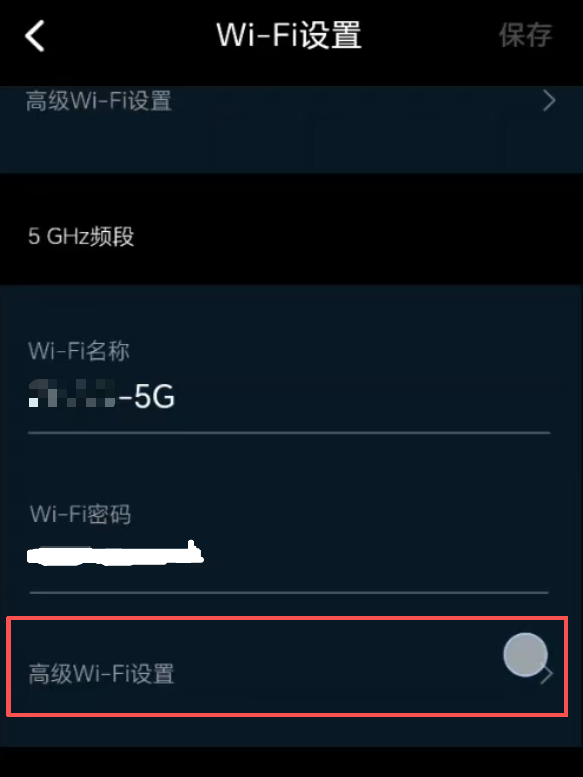
→ turn DFS off
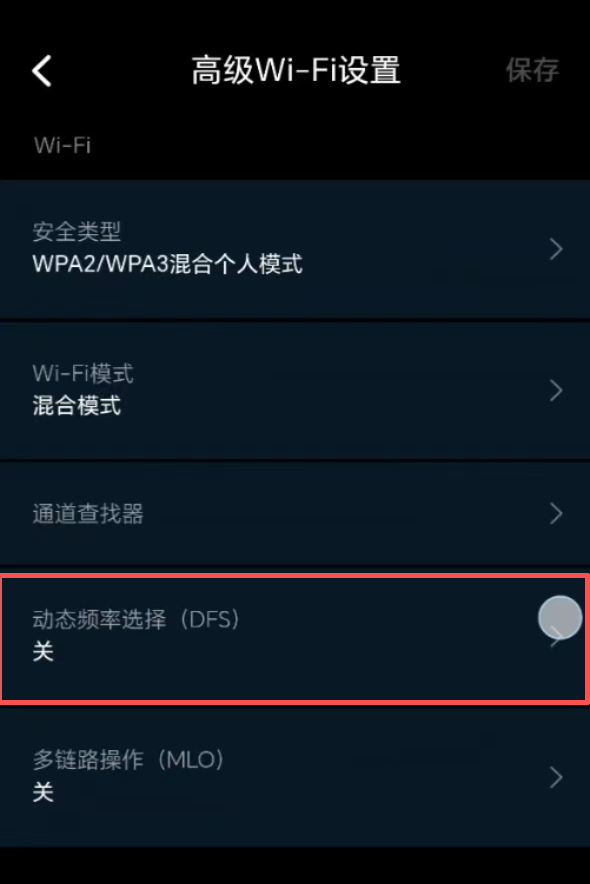
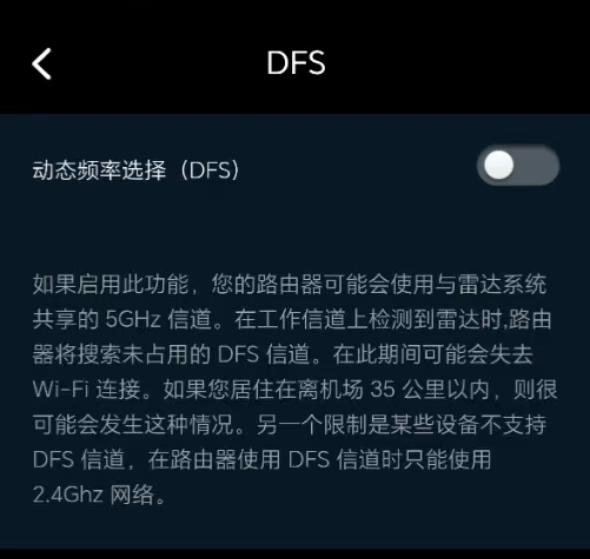
With DFS off, the router only uses non-DFS channels (36–48 / 149–165), which avoids the radar avoidance situation altogether.
Afterwards I ran Channel Finder once so it would pick the least congested channel within the non-DFS range:
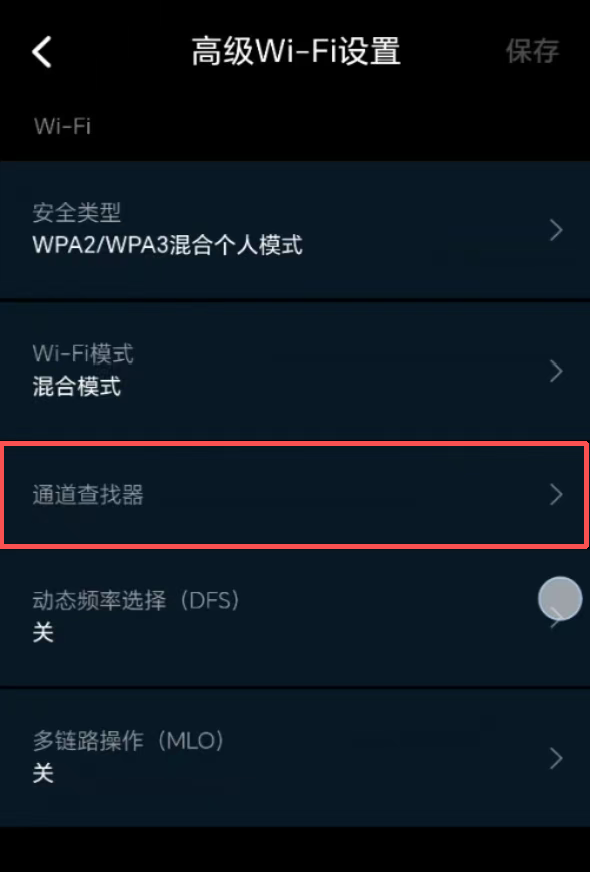
It ended up on channel 161 (5805 MHz).
Conclusion
In this environment the 5GHz band was using channel 100 (5500 MHz), which is a DFS channel; that triggered radar avoidance and made images load slowly.
Important
This article was translated by Hermes Agent; the original text can be found at here. The translation is for reference only. Translation time: 2026-11-05